iPhone Making Ding Noise When Connected to AirPods (Continuity Camera)
The continuity camera notification sometimes makes pop ups and alerts users with an annoying noise anytime a bluetooth device is connected (in our case, airpods). Here's how to fix it

Jonathan Garces
Updated July 22, 2023
iPhone Continuity Camera Fix
Reading Time: 1 minute
I've run into this really annoying issue when trying to connect to my AirPods. I found out the culprit was from the continuity camera trying to connect every single time a bluetooth device tried to pair.
According to Apple, the continuity camera lets you "Use the powerful camera system of your iPhone to do things never before possible with a webcam, including Center Stage, Portrait mode, Studio Light, and Desk View." It's great – I've used it for video calls before and it has waaay better quality than anything you'd get on a Mac.
But it comes with the most annoying notification and ding or ping noise that can make you go crazy. Here's how to fix it:
Fix The iPhone Continuity Camera Automatically Connecting & Making Noise
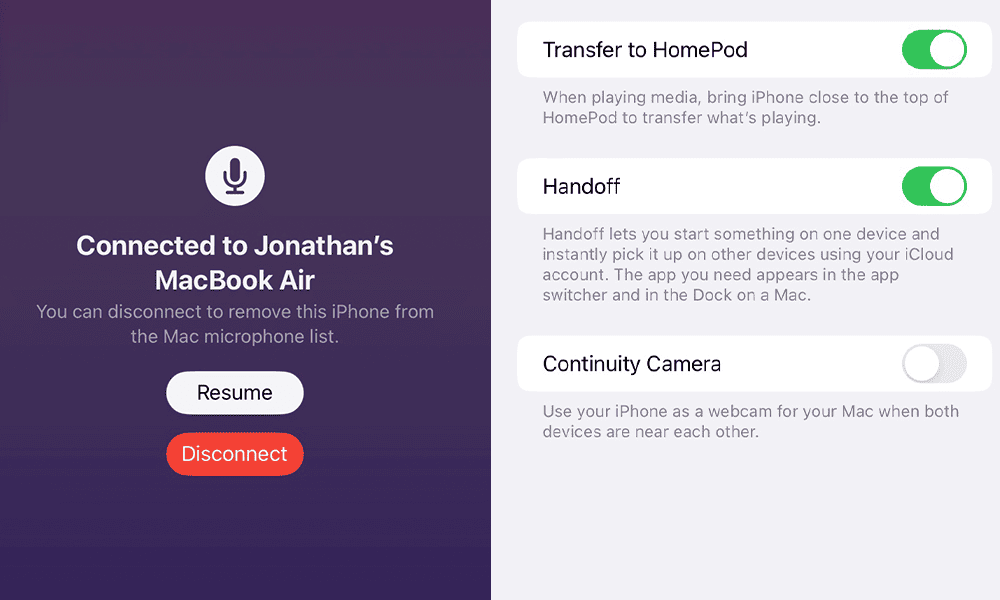
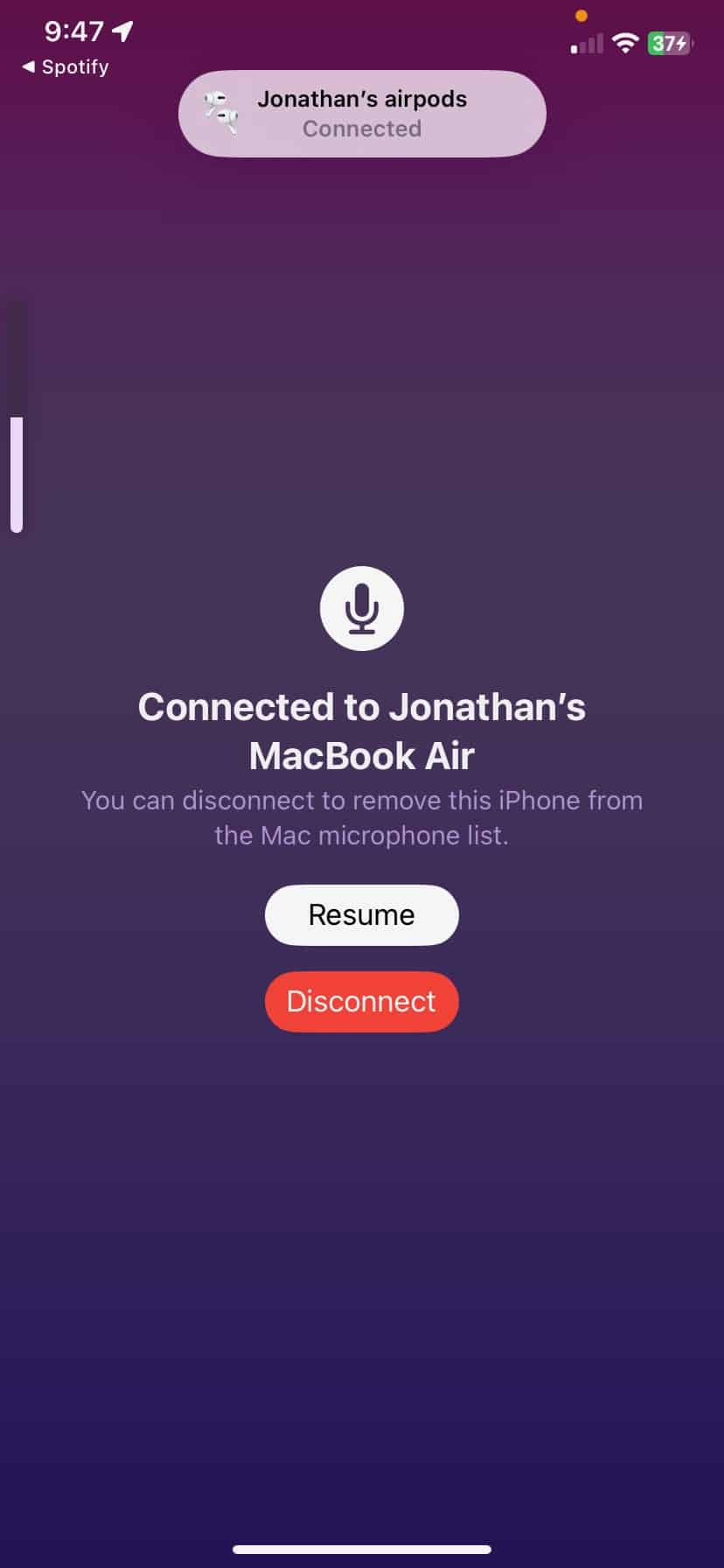
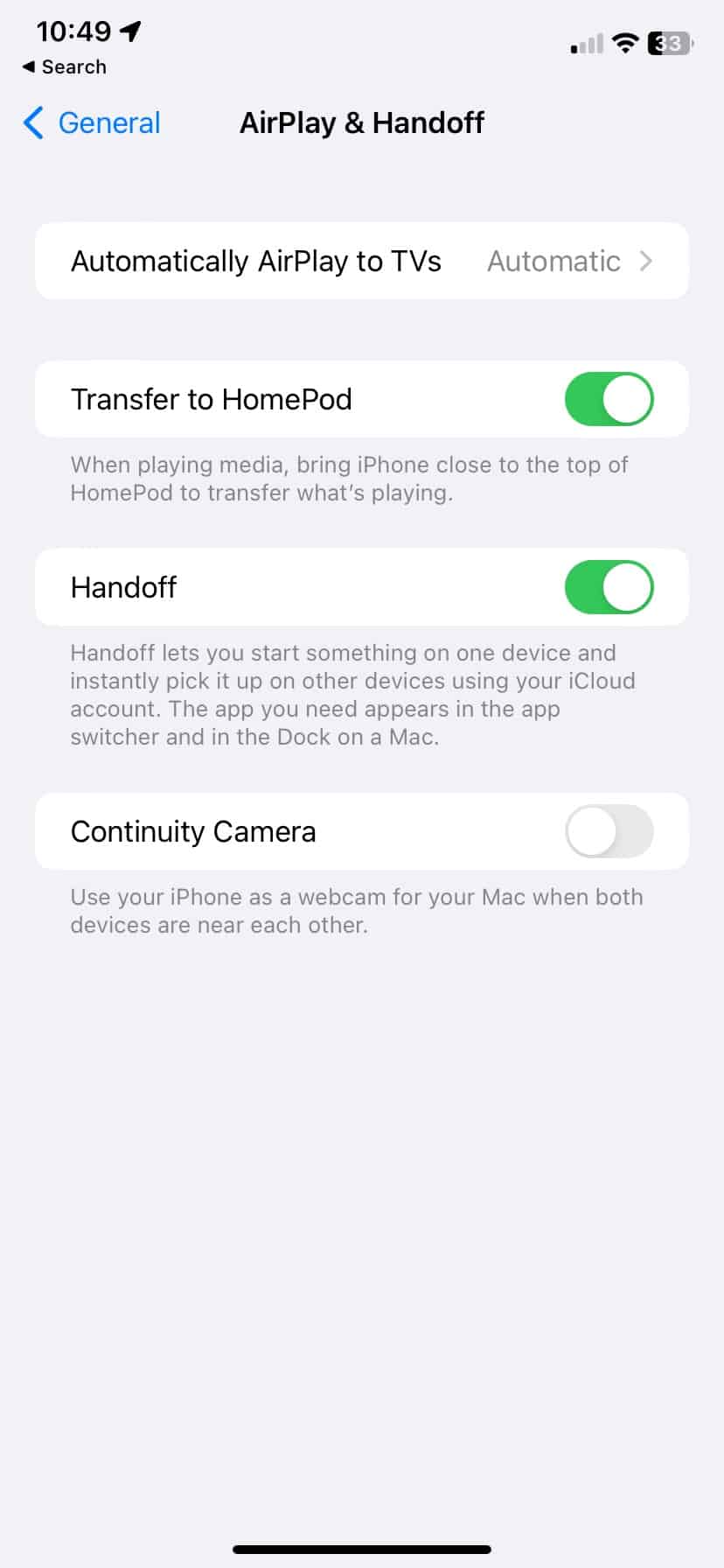
If you see this screen, you'll hear the noise. To fix it go to Settings -> AirPlay & HandOff -> and Turn off Continuity Camera. That's it. You'll never hear the noise again. Hope this helped!
Want to Learn Even More?
If you enjoyed this article, subscribe to our free newsletter where we share tips & tricks on how to use tech & AI to grow and optimize your business, career, and life.