If you're a big fan of writing like we are, then you're probably using the Gutenberg editor on your WordPress site to manage your posts and pages. And if you're a fan of videos, then you're probably embedding YouTube videos into your content as well.
But what happens when you're trying to embed youtube content and it's not working?
Well, there could be several reasons why this is happening. In this article, we'll explore a few of the potential causes and offer some solutions to get your videos embedded properly in the Gutenberg editor.
Solution 1 - YouTube Embeds Not Allowed
The first thing you'll have to check is the individual YouTube video settings. Although this is not possible to do if the video isn't yours, it could be the easiest solution to fix if you accidentally have embed turned off.
To do this, go to the YouTube video in question and edit the video details. On the main details page, scroll down under the audience section and show more settings. Scroll down till you see license and ensure 'Allow Embedding' is checked.
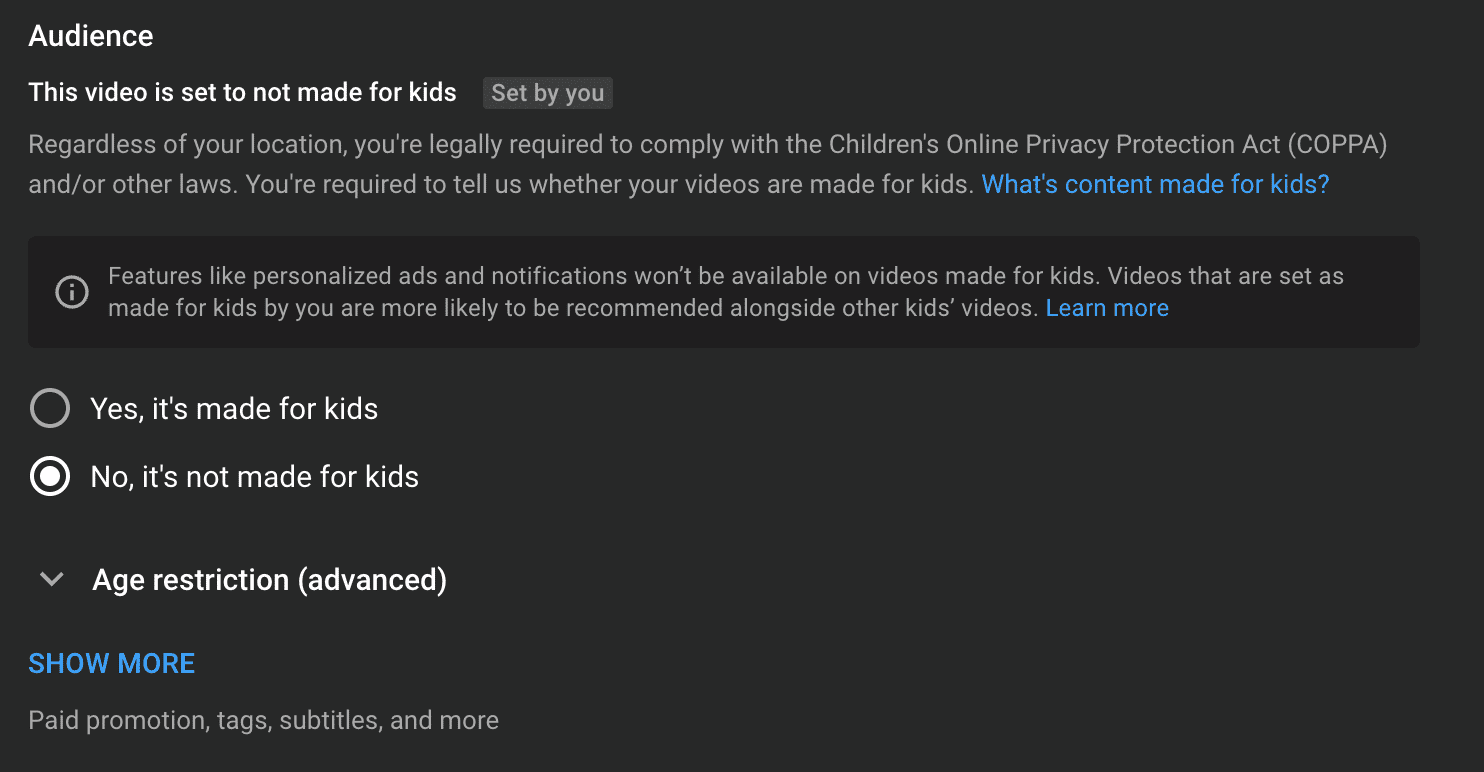
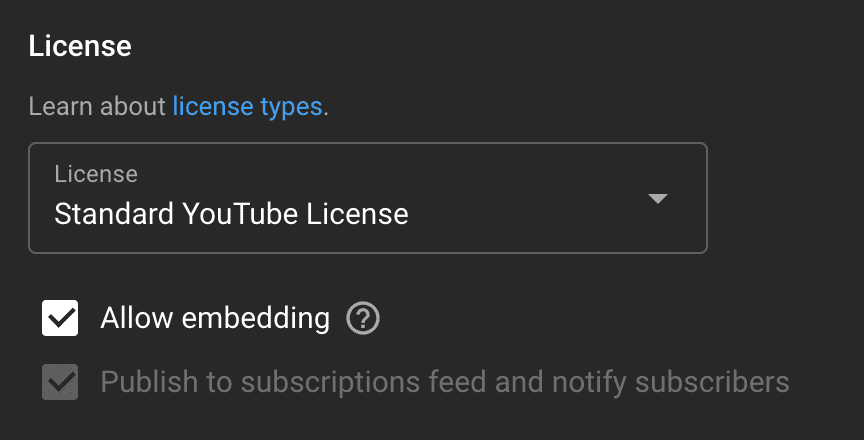
If this was off, turn it on, and navigate back to your post on WordPress. Once again try to embed the video URL and see if that works.
Solution 2 - Use VideoPress over YouTube
VideoPress is a post block created by WordPress that gives you the ability to upload and host your own videos on your site. You can then play these videos within posts and pages using the Gutenberg editor.
Simply add a VideoPress block to your post, upload or select a video from your library, and hit publish. We've noticed the block will "update" into the YouTube block but it refreshes something and happens to load our videos correctly.
Conclusion
This very annoying bug can be circumvented using a few simple tricks! If you need to quickly fix your YouTube embeds on your WordPress site we hope either of these options work for you! Have you had this problem before? If you know any other ways to fix this, let us know in the comments!
