Web scraping is a method that allows you to extract publicly available data online.
For many businesses, it has become an integral tool for gathering information, getting insights, and making smarter decisions. For instance, sales professionals extract data from websites to monitor a competitor’s pricing, build a leads list, or conduct market research.
Therefore, having the right scraping tool can make all the difference. That’s where Clay steps in.
Clay is an AI-powered tool designed specifically to help busy professionals like you. Aside from scraping data, it also helps you discover, organize, and deepen your connections across different platforms.
In this guide, I'll walk you through how to make the most of Clay, from initial setup to seamlessly adding data to your workspace.
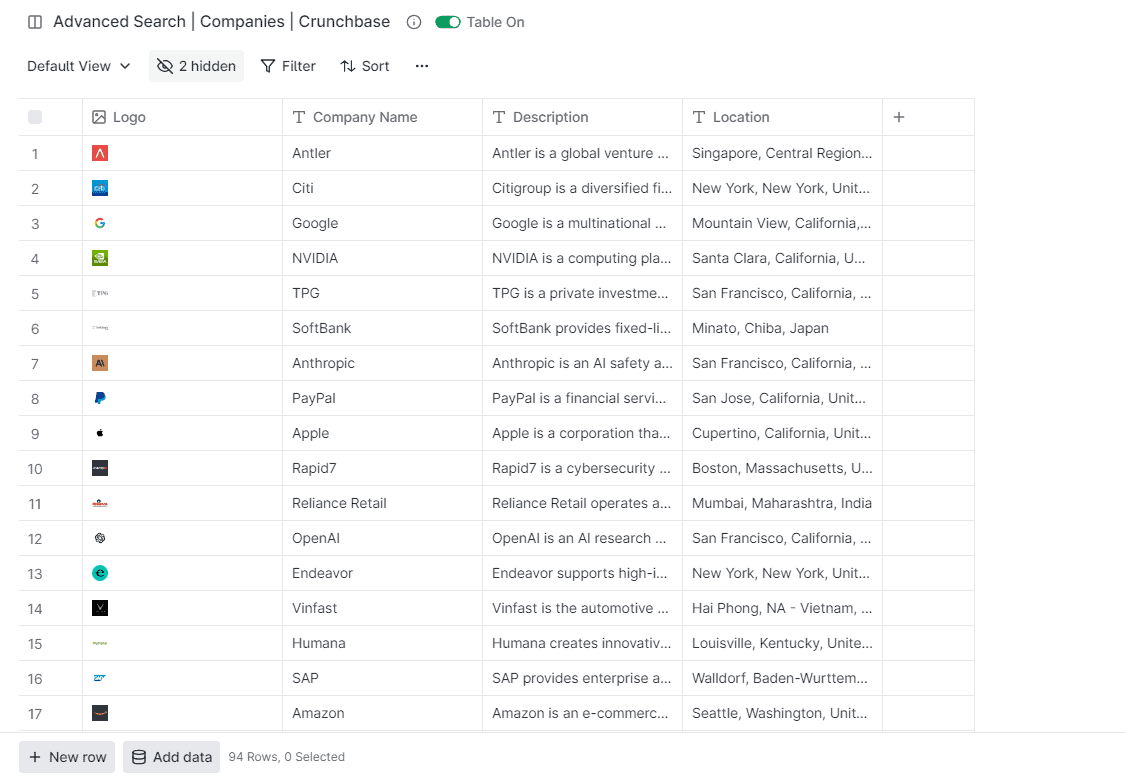
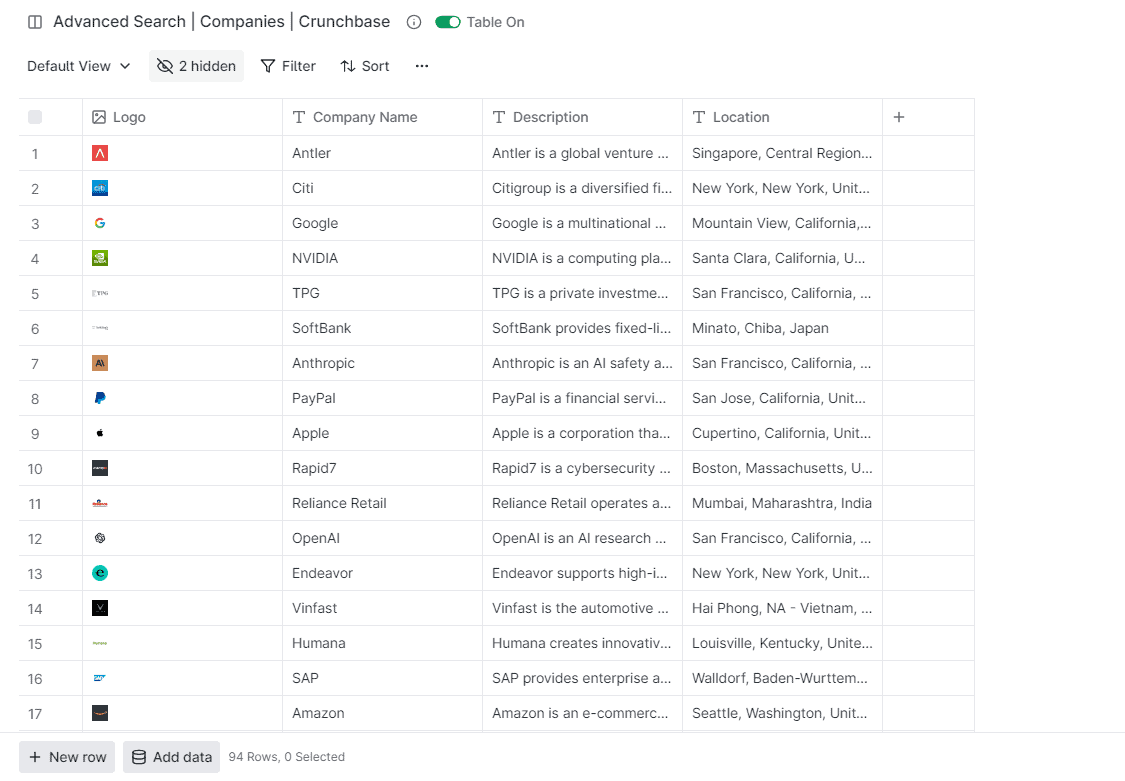
By the end, you should have your scraped data ready for enrichment, as shown below:
Scraping Data from Any Website Using Clay
1) Install Clay Extension
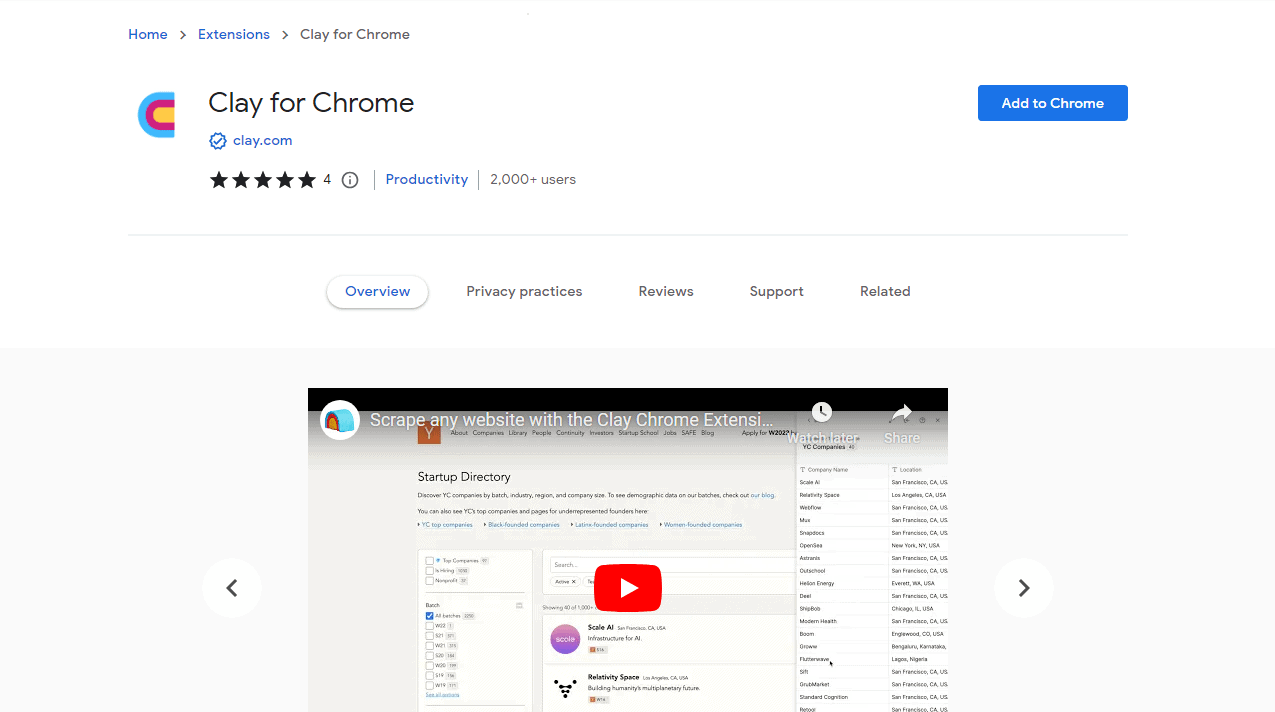
Assuming you already have an active account on Clay, go to the Chrome Web Store and look for the Clay extension. Click 'Add to Chrome' to install.
2) Open Any Website Page
For this tutorial, we'll use Crunchbase as an example. Login to the site and click ‘Companies’ to see a list of various companies.

3) Initiate Clay for Data Scraping
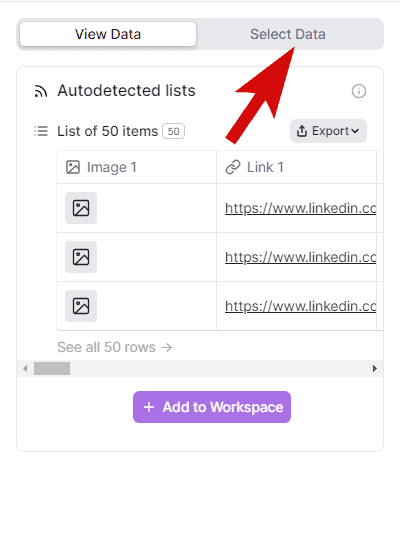
Click on the Clay icon located in your toolbar. This action will prompt a settings box to appear.

Here, you have three ways to scrape data.
The first one is through an autodetected list. This method maps the data to a table immediately when you click the Clay icon.
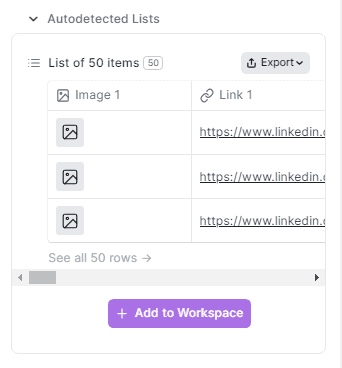
The second is through Clay’s pre-made recipe. Here, data is automatically mapped to a table based on attributes like name, description, image, etc. If a recipe isn't available for a site, you can click ‘Ask Clay to map this page.’ Clay will notify you when the recipe is ready.
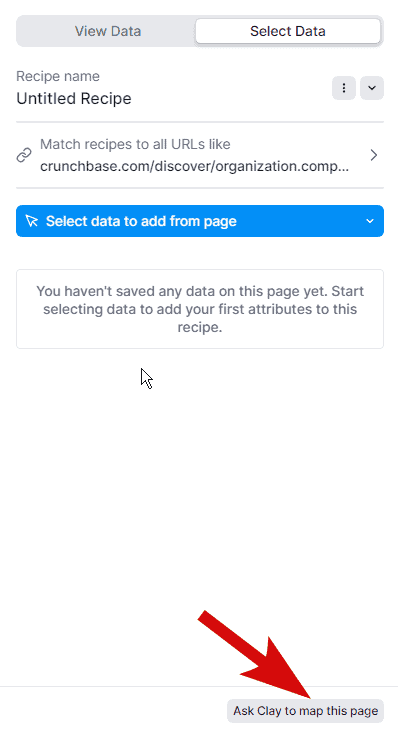
The third one is to create a recipe. This method lets you map pages and lists as you prefer, rather than relying on autodetection.
In this guide, we’re going to scrape data by creating our own Clay recipe.
3) Add A List to Clay Recipe
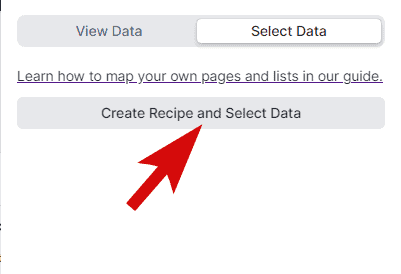
In the settings pane, click ‘Select Data.’
Then, choose ‘Create Recipe and Select Data.’ Enter the name your recipe.
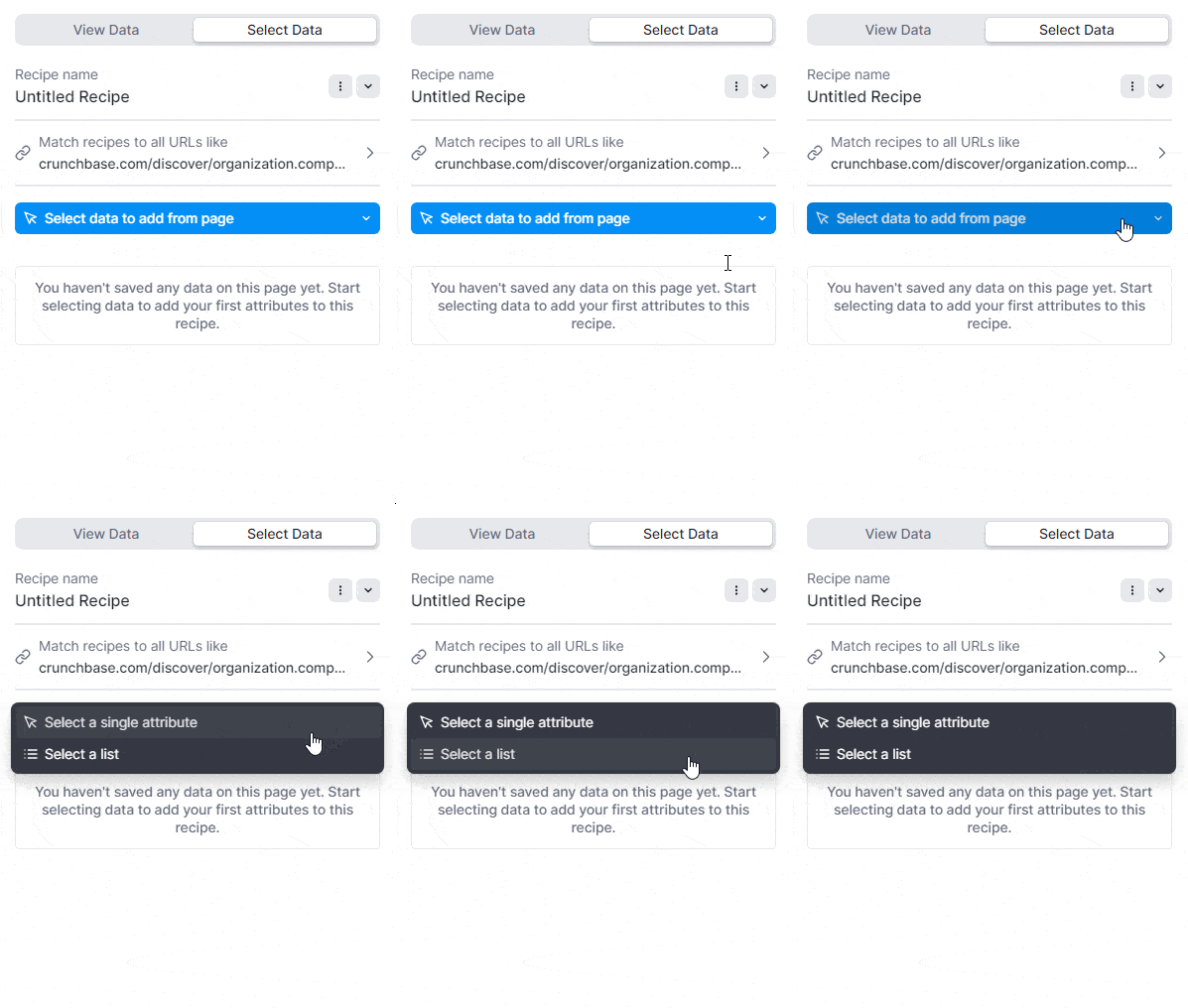
To select data, click ‘Select data to add from page’ followed by ‘Select a list’ from the dropdown.
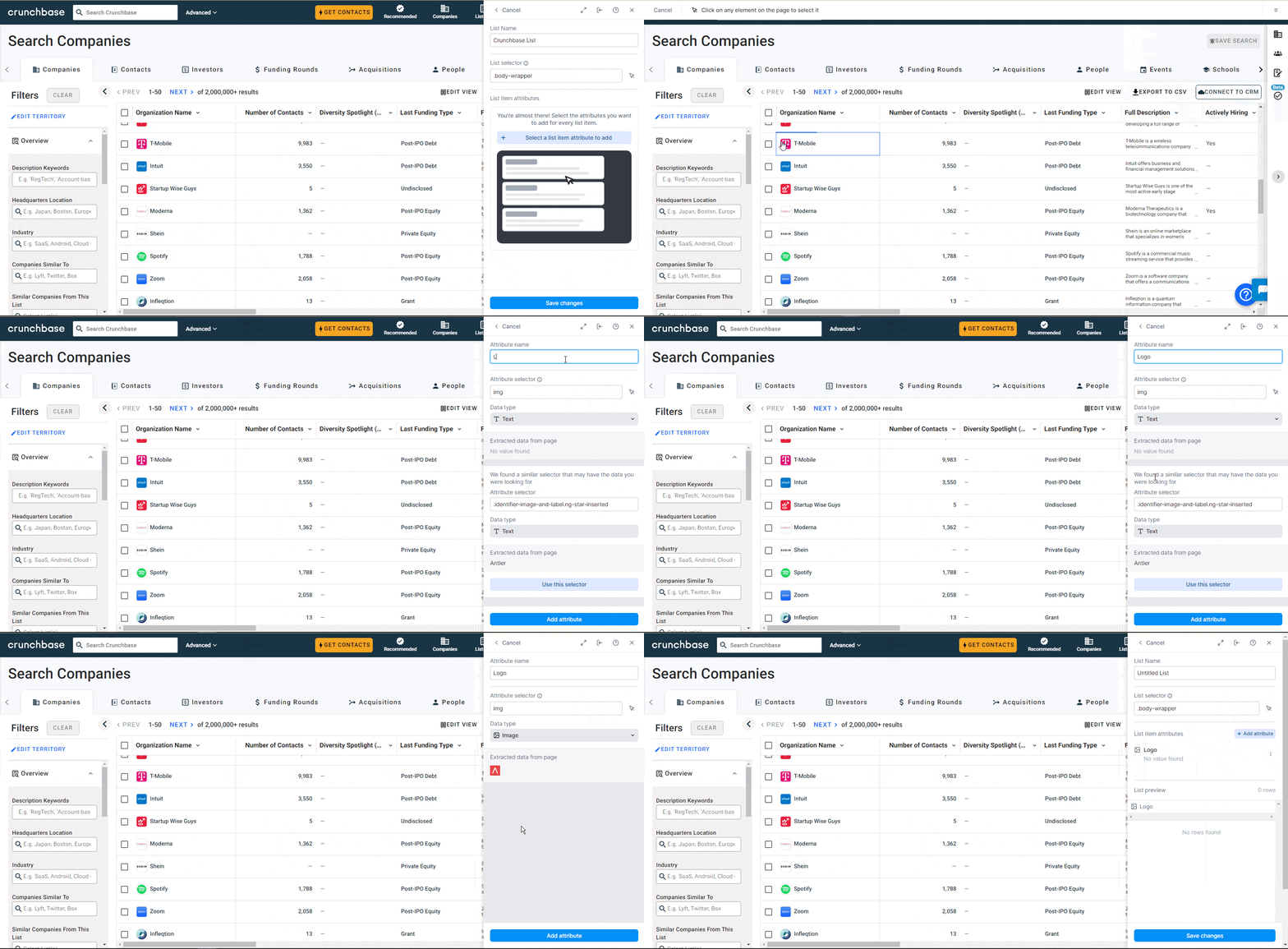
You'll need to select two items from the table. This will help Clay understand your table's structure.
4) Add Attributes to Your List
Click ‘Select a list item attribute to add.’
Hover over the data you want, like a logo, and select it. Name this attribute – we'll call it ‘Logo’ for this example. Specify its data type, in this case, 'image,' and then click ‘Save Changes.’ You'll see a preview of the table with your new attribute.

To add more attributes, click ‘Add attribute’ and repeat the process. In our example, I've added attributes for the company name, description, and location.

5) Transfer the Scraped Data to Clay
You have two options to add your table to Clay.
First, you can export the table as a CSV file and then import it into Clay.
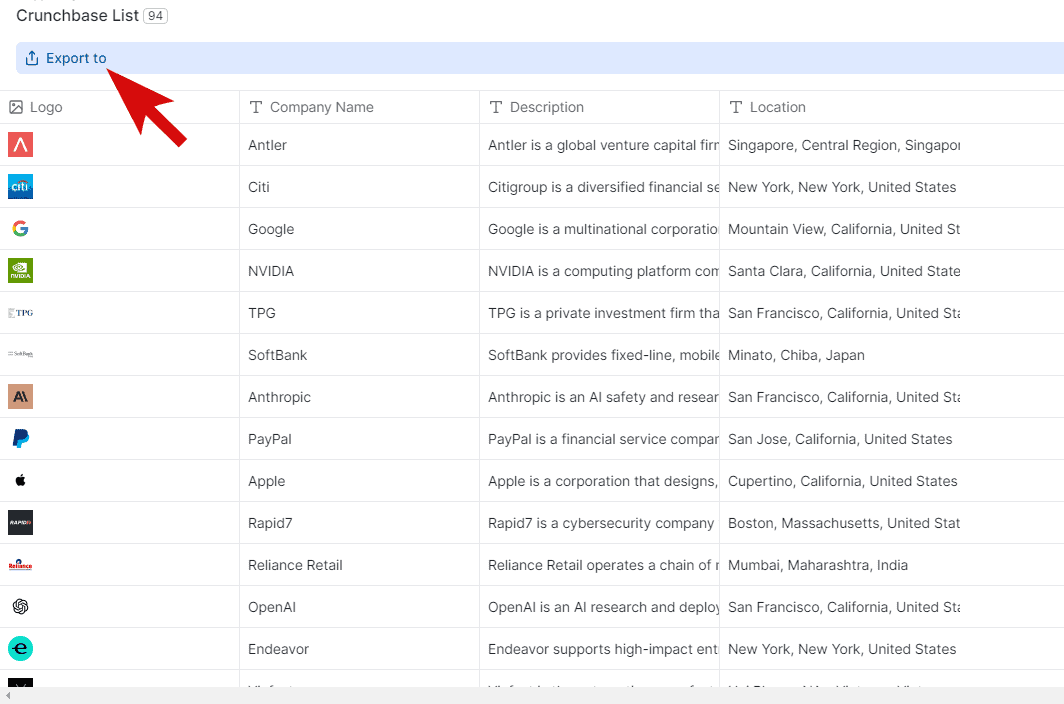
Second, you can directly click ‘Add to Workspace’ for Clay to automatically generate a table with the scraped data.
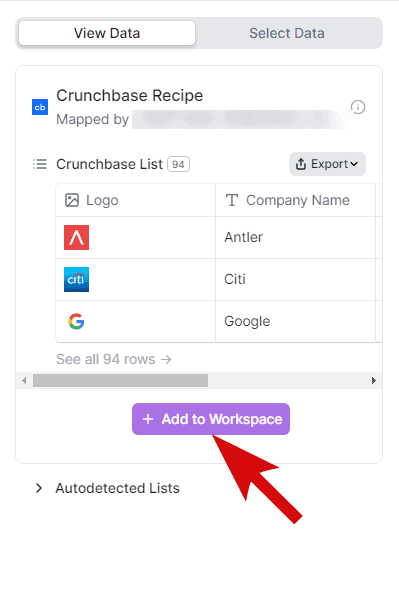
For simplicity, we'll choose the second option in this tutorial.
After clicking the ‘Add to Workspace’ button, you should now see the table on your Clay workspace.
What’s Next?
Clay allows anyone to scrape data on websites without coding knowledge.
But data scraping is just the start. The next step is to enrich data and make them more useful.
Clay has extensive integration capabilities to uncover deeper insights. For instance, you can leverage the tool to find the email addresses of the decision makers, learn the market trends, get the LinkedIn profiles of companies, and so much more.
So, I suggest you explore these features. Here are a few tutorials you can follow:
- How to Find Company Key Decision Makers for Cold Emails Using Clay
- How to Discover the Technology Stack of Any Website Using Clay
- Bulk Analyze the Shopify Store Status of Your Prospects Websites Using Clay
- Finding a Business’s Google Review Information With Clay
Lastly, we’re eager to know your thoughts, success stories, or even issues encountered with Clay. Please do share them in the comments!
